Latest RC Smart Card Guide 2026: Online Application & Status Check!
Latest RC Smart Card Guide 2026: Online Application & Status Check!
One of the most important documents for every vehicle owner is the RC Smart Card. Whether you own a bike, car, scooter, taxi, or commercial vehicle, you must keep your Registration Certificate updated and valid.
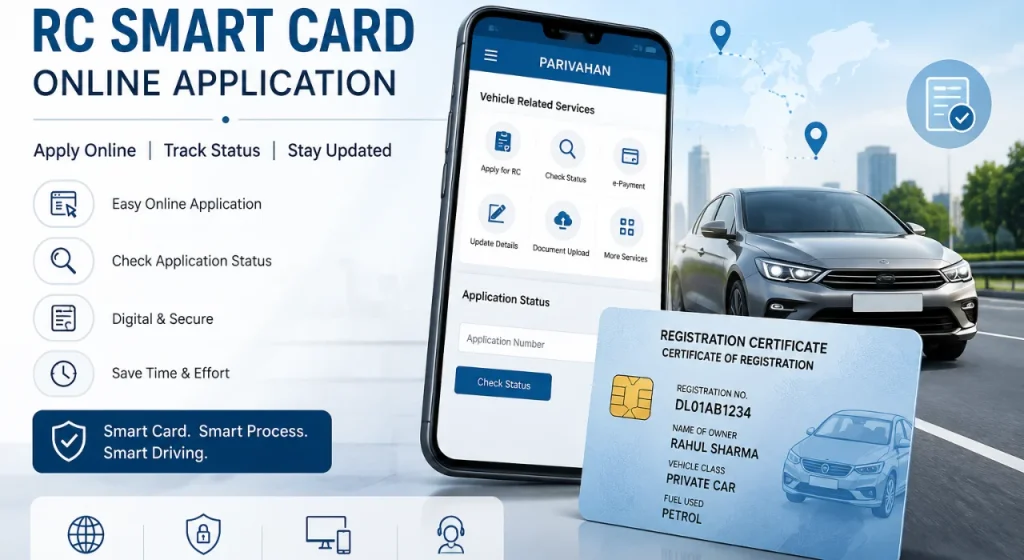
In 2026, many states are encouraging vehicle owners to shift from old paper RC books to smart card based registration documents.
This guide explains everything about RC Smart Cards in simple language, including application steps, status check process, download methods, duplicate RC process, fees, documents required, and common problems faced by vehicle owners.
What Is an RC Smart Card?
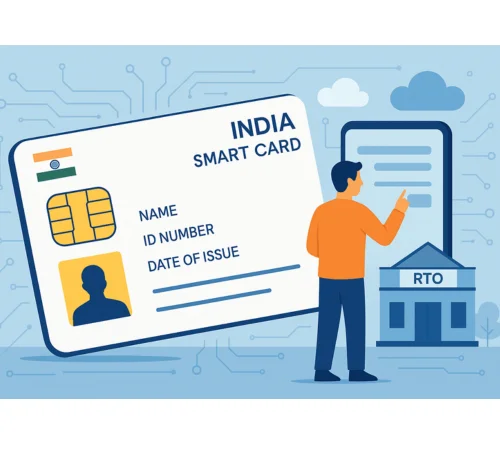
An RC Smart Card is a modern version of the traditional vehicle Registration Certificate. It is issued by the transport department and contains important vehicle and owner information in a secure smart card format.
The card looks similar to an ATM card and includes a microchip or QR-based security system. It stores vehicle registration data digitally and is accepted by traffic police, transport officers, and insurance companies across India.
The RC Smart Card acts as proof that your vehicle is legally registered with the Regional Transport Office (RTO).
RC Book (Old Format)
Earlier, vehicle owners used a paper-based RC Book. This booklet contained vehicle details printed across multiple pages.
The old RC book format had several issues:
Many Indian states are slowly replacing old RC books with smart card based registration systems.
RC Smart Card (Smart Card Format)
The RC Smart Card is a plastic card with digital security features. It stores all vehicle details in a compact format and is easier to carry.
Main features include:
Most new vehicles now receive RC Smart Cards instead of paper RC books.
Digital RC and e-RC Explained
A Digital RC or e-RC is the online version of your vehicle Registration Certificate available on government apps and portals. Vehicle owners can store it in apps like mparivahan or DigiLocker for quick access during travel or traffic checks.
It contains important details such as vehicle number, owner information, engine and chassis numbers, insurance details, and registration validity. The digital RC is useful when you do not have the physical RC Smart Card with you.
RC Smart Card vs RC Book vs Digital RC
Vehicle owners often get confused between RC Books, Smart Cards, and Digital RC copies. Each format serves the same basic purpose but differs in usage and convenience.
| Feature | RC Book | RC Smart Card | Digital RC |
| Format | Paper booklet | Plastic smart card | Mobile document |
| Durability | Low | High | Depends on device |
| Easy to Carry | No | Yes | Yes |
| Risk of Damage | High | Low | Very Low |
| Verification Speed | Slow | Fast | Fast |
| Accepted by Traffic Police | Yes | Yes | Yes |
Which RC Format Is Legally Valid in 2026?
In 2026, all three formats are generally accepted if issued through authorised transport systems.
These include:
- RC Book
- RC Smart Card
- Digital RC stored in approved apps
However, some states may still ask for physical verification during ownership transfer or loan-related work.
For latest rules, users can visit the official Parivahan Sewa Portal.
Benefits of Using a Digital RC
Digital RC copies are becoming popular because they offer easy access and faster document verification.
Benefits include:
- No need to carry paper documents
- Instant mobile access
- Accepted during traffic checks
- Easy sharing during insurance claims
- Useful during emergencies
Many users also combine Digital RC with services like DL status Check and vehicle verification systems.
Which Option Is Better for Vehicle Owners?
For most users, the best combination is:
- Physical RC Smart Card for official work
- Digital RC for daily convenience
This helps avoid problems during travel, inspections, or document verification.
What Information Is Stored on an RC Smart Card?
The RC Smart Card stores all important registration details related to the vehicle and owner.
Common information includes:
| Details Available on RC Smart Card |
| Vehicle Registration Number |
| Owner Name |
| Father’s or Husband’s Name |
| Vehicle Class |
| Fuel Type |
| Engine Number |
| Chassis Number |
| Registration Date |
| Insurance Details |
| Road Tax Information |
| Fitness Validity |
| RTO Office Details |
Users should always check that all information is correct after receiving the card.
Who Needs an RC Smart Card?
Almost every registered vehicle owner in India may require an RC Smart Card.
This includes:
In the following circumstances, you might want to check RC status:
- After purchasing a new vehicle or bicycle
- Following the ownership transfer application
- If you submitted a duplicate RC application
- While awaiting the delivery of an RC card
- Prior to buying or selling a secondhand car
- If your RC card or book is gone
Documents Required for RC Smart Card Application
Before applying online, users should keep all documents ready.
Commonly required documents include:
Some states may ask for additional documents depending on vehicle type.
It is always better to keep scanned copies ready in PDF or JPEG format.
RC Smart Card Fees and Charges
RC Smart Card fees differ depending on state rules and vehicle category.
Approximate charges may include:
| Service | Estimated Fees |
| New RC Smart Card | ₹200 to ₹600 |
| Duplicate RC Card | ₹300 to ₹600 |
| Address Change | ₹200 to ₹500 |
| Ownership Transfer | ₹300 to ₹800 |
| Smart Card Conversion | ₹200 to ₹500 |
Extra service charges may apply for:
Always check the latest state transport fees before payment.
How to Apply for RC Smart Card Online
Most states now allow online RC Smart Card applications through transport portals. The process is simple if all documents are prepared correctly.
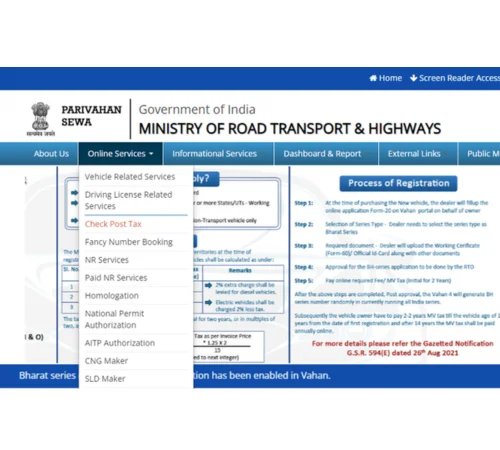
Step 1 – Open the Official Vehicle Registration Portal
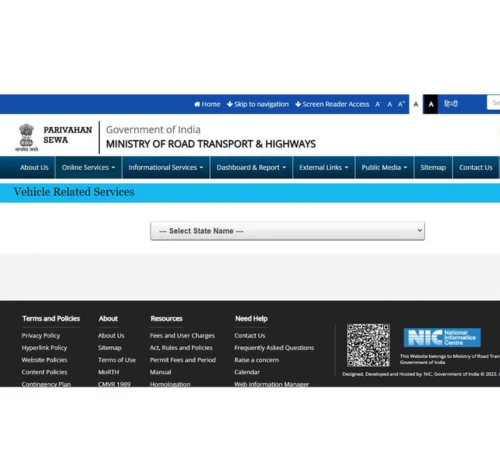
Step 2 – Select Your State or Region
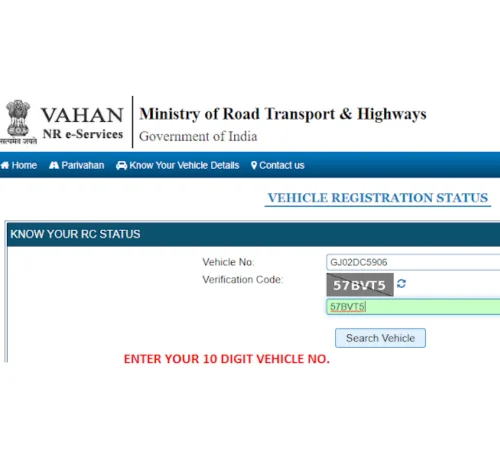
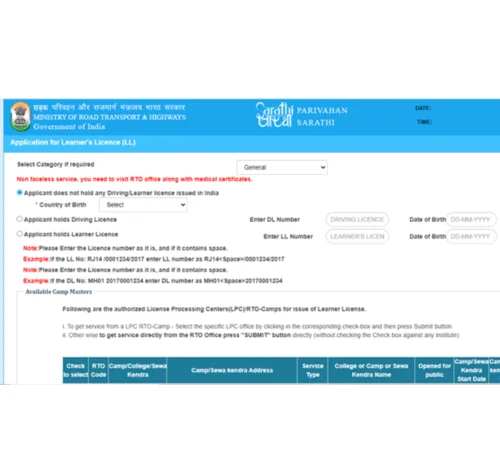
Step 3 – Enter Vehicle Registration Details
Required details usually include:
Verify all information before proceeding.
Step 4 – Upload Required Documents
Upload scanned copies of all required documents.
Important tips:
Incorrect uploads may delay approval.
Step 5 – Pay the RC Smart Card Fees Online
After document verification, pay the required application fees online. Pay the required fee using your preferred method. The fee amount depends on the type of vehicle and state regulations.
Payment methods may include:
Save the payment receipt for future reference.
Step 6 – Book an Appointment if Required
Some states may ask users to visit the RTO for:
Book the appointment slot online if required.
Step 7 – Submit the Application and Track Status
After completing all steps, submit the application.
Users receive:
How to Convert RC Book to Smart Card
Many vehicle owners still use old RC Books. States now allow conversion to Smart Card format.
The process is simple and mostly available online.
Replacing an Old RC Book
Vehicle owners can request RC conversion if the paper book is old or damaged.
Basic steps include:
- Visit the transport portal
- Select RC conversion service
- Upload existing RC copy
- Pay fees
- Submit request
After approval, the smart card is printed and dispatched.
Reissue Process for Damaged RC Cards
If the existing smart card is broken or unreadable, users can apply for reissue.
Required items may include:
In some cases, physical verification may also happen.
RC Smart Card Download Guide
Vehicle owners can download digital RC copies online for quick access.
Digital copies are useful during travel and emergency document checks.
How to Download Digital RC Online
Follow these simple steps:
- Open the transport application or portal
- Enter vehicle number
- Verify using OTP
- Access vehicle dashboard
- Download digital RC copy
Users can also access digital documents using mparivahan mobile services.
How to Save RC Smart Card on Mobile
Saving the RC on mobile helps during traffic checks.
Useful methods include:
- Save PDF copy
- Use DigiLocker
- Store inside mobile wallet apps
- Keep screenshots for backup
Always keep updated copies only.
RC Smart Card Status Check Online
After applying, users can track their RC Smart Card status online. This helps check approval, printing, and dispatch updates.
How to Track RC Smart Card Application Status
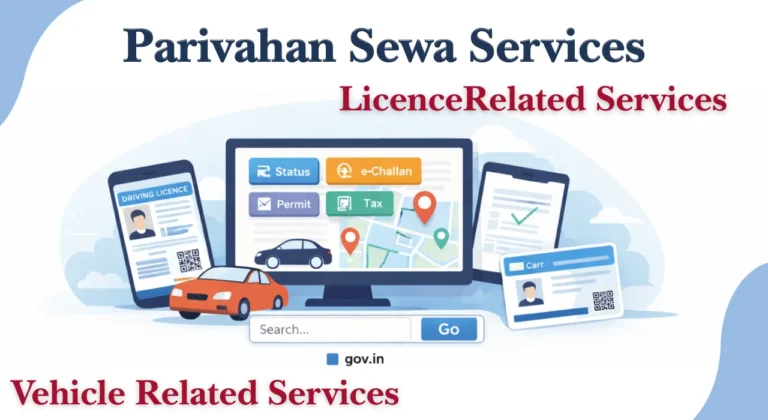
Application Status and further RC services are listed under “Vehicle Related Services” on the Parivahan portal.
Option A: VAHAN (service tracking) application status
- Visit the VAHAN Citizen Services state validation page (many district administrations direct users here to check the status of their applications in Vahan).
- Choose your RTO or state.
- Enter the identifier that appears on the screen, or your application number.
- Submit to see the status of your RC application, including pending, accepted, and denied.
Option B: Status and transaction areas of the VAHAN site
- If you have paid fees and would like to verify the status of your payment, go to the VAHAN portal and select the appropriate menu item, such as Transaction Status.
- Use the Application Status route under Vehicle Related Services (on Parivahan) to track service progress.
Status messages may include:
- Under verification
- Approved
- Printing in progress
- Dispatched
Common Reasons for Delayed RC Delivery
Several issues may delay smart card delivery.
Common reasons include:
- Incorrect address
- Pending verification
- Missing documents
- Technical portal errors
- RTO workload
If delays continue, users should contact their RTO office.
Why RC Smart Cards Are Important in 2026
India’s transport system is becoming more digital every year. RC Smart Cards support faster verification, safer data storage, and improved record management.
Many states now encourage smart card usage for both private and commercial vehicles.
Key Benefits of RC Smart Cards
RC Smart Cards provide several practical benefits for vehicle owners.
Important advantages include:
- Better durability
- Faster verification
- Reduced paperwork
- Easy carrying
- Improved data security
- Accepted nationwide
These cards also support digital traffic systems and online vehicle databases.
Why Vehicle Owners Prefer Smart Cards
Most people now prefer RC Smart Cards because they are more convenient than paper documents.
Common reasons include:
- Fits easily in wallet
- Water resistant
- Long lasting
- Professional appearance
- Faster police verification
Commercial vehicle owners especially benefit from easy inspections during interstate travel.
Security and Fraud Protection Features
RC Smart Cards contain security features that help reduce fake registrations and document fraud.
These security systems may include:
- QR codes
- Embedded chips
- Barcode verification
- Centralised digital records
These features help transport departments maintain accurate vehicle databases.
Duplicate RC Smart Card Process
A duplicate RC Smart Card is needed if the original card is lost, stolen, or damaged.
The process can usually be completed online.
When to Apply for a Duplicate RC Smart Card
Users should apply immediately if:
- RC card is lost
- Card is stolen
- QR code is damaged
- Card details are unreadable
Driving without valid RC documents may lead to penalties.
In some states, vehicle owners may also face challans linked with systems like ts e challan records.
Steps to Apply for Lost or Damaged RC
Basic duplicate RC process:
- File a police complaint if lost
- Visit transport portal
- Select duplicate RC option
- Upload FIR copy if required
- Pay duplicate fees
- Submit application
After approval, the new RC Smart Card is issued.
Common RC Smart Card Problems and Solutions
Many users face minor issues during RC application or delivery. Most problems can be solved easily.
| RC Smart Card Problem | Common Reason | Easy Solution |
| Incorrect name or spelling on RC | Typing mistake during application | Apply for RC correction online and upload valid ID proof |
| Wrong engine or chassis number | Data entry error at RTO | Visit the RTO with vehicle documents for verification |
| Incorrect address on RC Smart Card | Old or mismatched address proof | Submit updated address proof and request correction |
| RC Smart Card not delivered | Wrong postal address or courier delay | Check delivery status online and contact the RTO helpdesk |
| RC application stuck under verification | Missing or unclear documents | Re-upload clear scanned copies and verify details |
| Unable to download digital RC | Server issue or login problem | Retry later, clear browser cache, or update the mobile app |
| OTP not received during RC download | Mobile network issue or incorrect number | Check registered mobile number and request OTP again |
| RC Smart Card damaged or unreadable | Physical wear, water damage, or chip issue | Apply for reissue or duplicate RC Smart Card |
| RC details not updated after ownership transfer | Pending approval from transport office | Track application status and visit the RTO if delayed |
| Digital RC not showing in mobile app | Sync or account verification issue | Refresh the app and login again using the correct details |
Important Tips for Vehicle Owners in 2026
Vehicle owners should follow some simple safety and document management tips.
Important recommendations:
- Keep both physical and digital RC copies
- Update mobile number regularly
- Renew insurance on time
- Verify RC details after delivery
- Avoid sharing RC photos publicly
- Store downloaded copies safely
Users handling driving licence work may also use systems connected with Sararthi parivahan services for licence applications and updates.
Always use official government portals for RC-related services to avoid scams or fake websites.
Conclusion
RC Smart Cards have become an important part of India’s digital transport system in 2026. They are safer, easier to carry, and more durable than old paper RC books. Most states now support online applications, digital downloads, and status tracking services.
Vehicle owners should keep their RC details updated and use official transport portals for all registration work. Whether you need a new RC Smart Card, duplicate card, digital RC download, or status check, the process is now simpler than before.
FAQs
Is a Digital RC Valid Without a Physical Smart Card?
Yes, digital RC copies stored in approved government apps are generally accepted during traffic verification. However, some official processes may still require the physical smart card.
How Long Does RC Smart Card Delivery Take?
Delivery time usually ranges from 7 to 30 working days depending on the state, document verification, and RTO workload.
Can I Apply for an RC Smart Card Online?
Yes, most states allow complete or partial online applications through official transport portals.
How to convert RC to smart card?
- Application: Fill out the RC smart card application, making sure to include important details like the engine and chassis numbers as well as your personal information.
- Upload Documents: Upload necessary documents, including the bill of sale, insurance paperwork, proof of identity, and proof of address.
What Should I Do if My RC Smart Card Is Lost?
You should apply for a duplicate RC Smart Card immediately. Some states may also require a police complaint before issuing a replacement card.